








Radar Simulation
Without the Code
The full power of RadarSimLib‘s ray-tracing engine — FMCW, MIMO, 3D targets, moving platforms — now in a desktop GUI. No Python. No MATLAB.
The Full Simulation Engine — No Code Required
RadarSimX has long provided RadarSimPy and RadarSimM as powerful programmatic tools for radar simulation — widely used in research and engineering. But they require comfort with Python or MATLAB APIs. RadarSimApp bridges that gap.
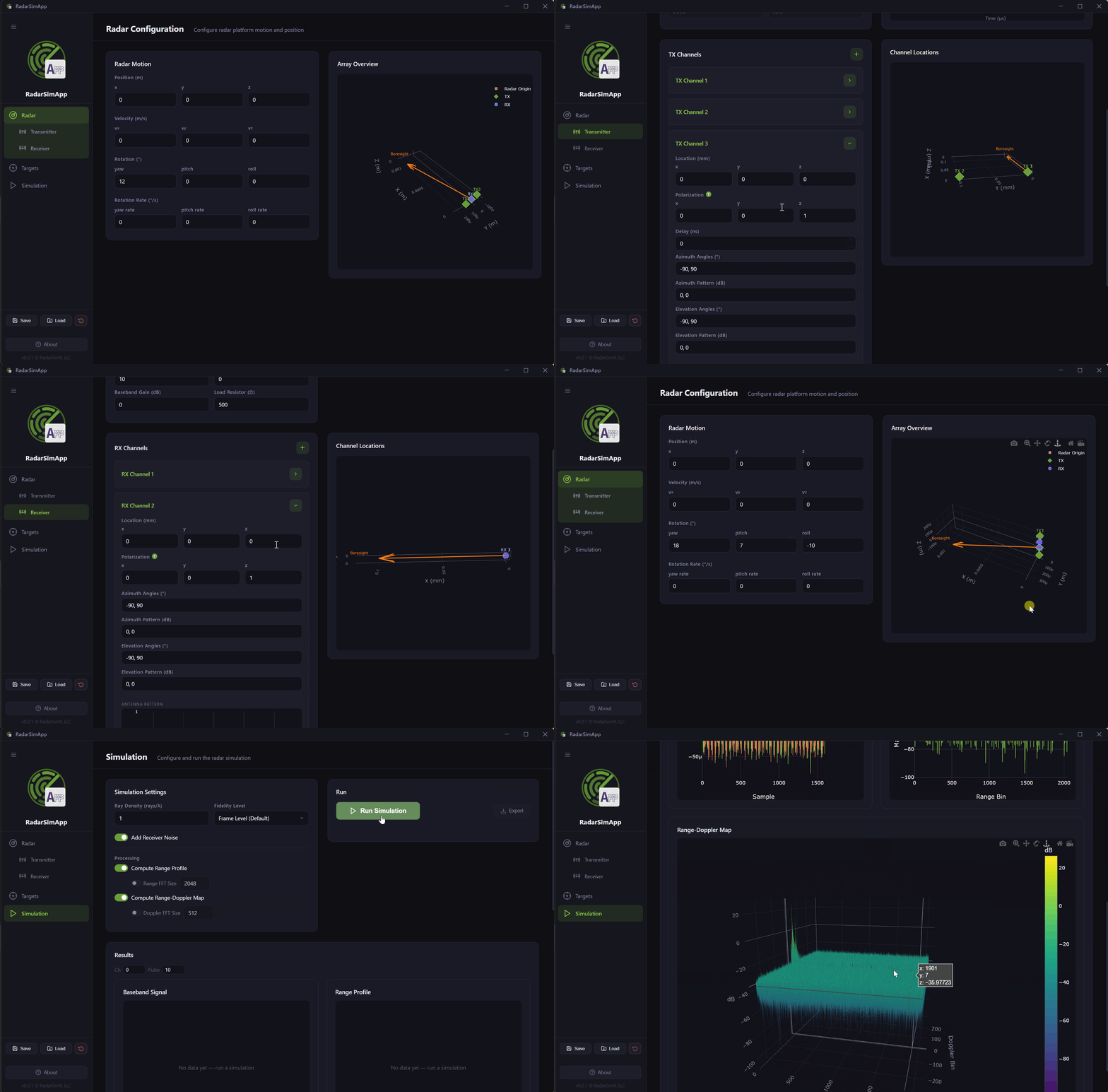
The same high-fidelity simulation engine — the same ray tracing, the same baseband model, the same Range-Doppler processing — is now accessible through a clean, point-and-click interface. Configure a complete FMCW radar system in minutes, run the simulation with one click, and immediately inspect the results interactively.
What Can You Do With RadarSimApp?
Model a Complete Radar System
RadarSimApp organizes radar configuration into four focused panels:
Transmitter
Set start/end frequency, sweep timing, number of pulses, pulse repetition period, and TX power. Add multiple TX channels with antenna patterns and spatial offsets.
Receiver
Configure sampling rate, baseband type (I/Q or real), noise figure, RF gain, baseband gain, and load resistance. Add multiple RX channels with antenna patterns.
Radar Platform
Define position, velocity, rotation, and rotation rate in 3D space. Simulate moving platforms such as automotive or airborne radars with full 6-DOF motion.
Targets
Place any number of point targets (position, RCS, radial speed, initial phase) or load 3D mesh targets from STL files with full 6-DOF motion parameters.
Interactive Results
After simulation completes, results are displayed as interactive, exportable charts:
Real and imaginary components per channel and pulse. Step through with channel/pulse index selectors.
1D FFT magnitude with configurable transform size. Zoomable, pannable, and directly exportable.
2D FFT heatmap with configurable Doppler FFT size. Export to HDF5 or JSON for post-processing.
Save, Load, and Export
Configurations are fully serializable. Save your entire radar setup — waveform, channels, targets, and simulation settings — to a JSON file and reload it later or share with colleagues. Results export to HDF5 or JSON for post-processing in Python or MATLAB.
Download & Install
Download the pre-built Windows installer from the GitHub Releases page. No runtime dependencies, no compilation step — just install and simulate.
Free to Try, Licensed to Unlock
Already have a RadarSimPy license? You can use your existing license file to unlock all RadarSimApp capabilities — no new purchase required.
Fully functional for learning and exploring radar simulation concepts.
- Max 2 targets
- 1 Tx / 1 Rx channel
- Max 8 meshes
- Email support for installation
- No bug fixes & updates
Activate with your existing RadarSimPy license — all limits removed.
- Unlimited targets
- Unlimited Tx / Rx channels
- Unlimited meshes
- Email support within license term
- Bug fixes & updates within license term